[Project 01]

Home IoT

Enhancing Home Automation Control To The Next Level
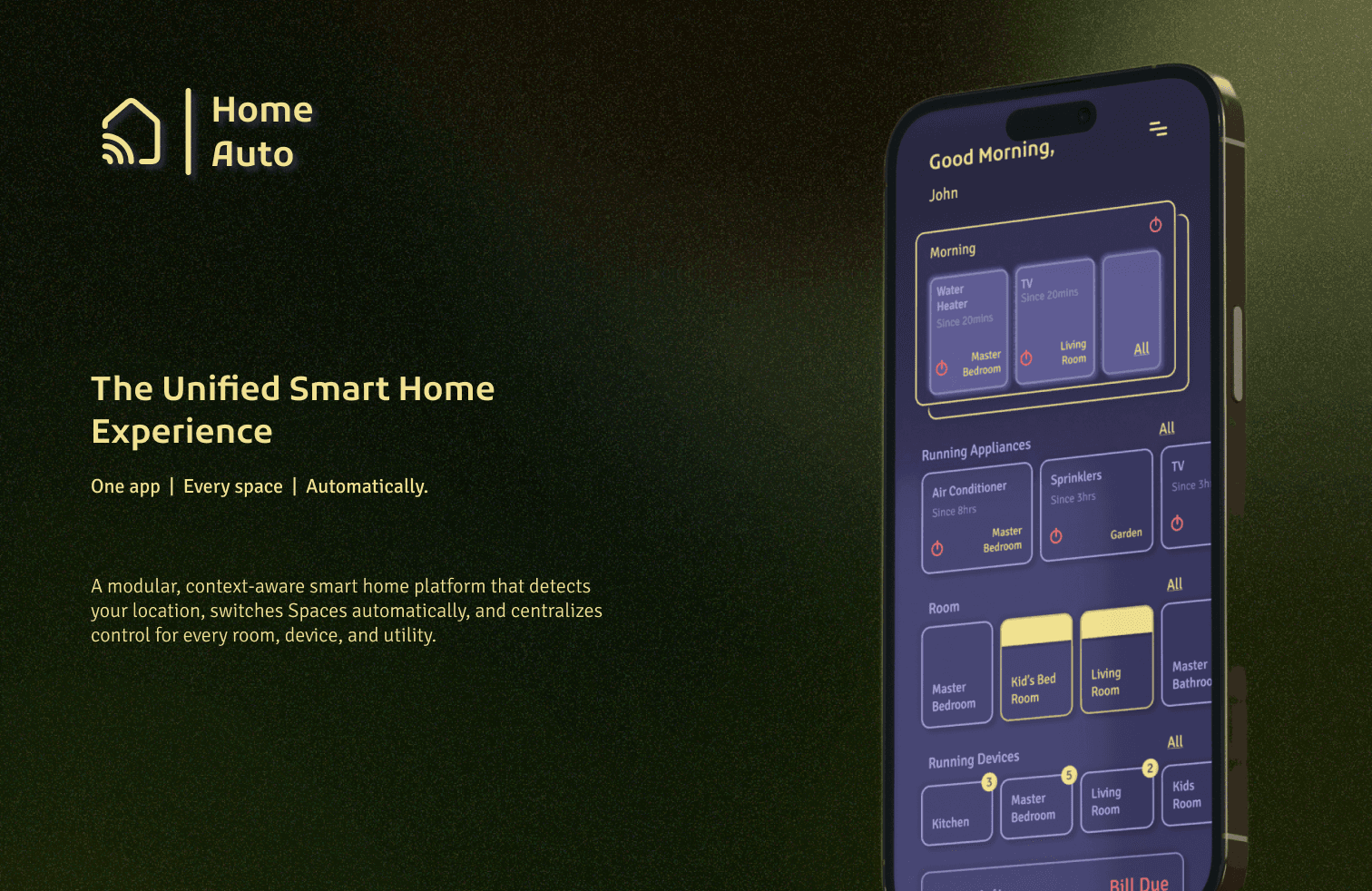
Project Overview

[The Challenge]

The proliferation of smart home devices has led to a fragmented user experience, often requiring multiple applications to manage a single living or working space. Users managing numerous properties (e.g., home, office, vacation villa) face an even greater challenge in maintaining centralized control and oversight. The primary design challenge was to create a unified, multi-location, and intuitive application that simplifies device management, automation setup, and utility monitoring across various environments—from a residential home to a commercial warehouse.

[The Goal]

The goal was to design a smart home application that provides a clear, actionable dashboard for status monitoring, streamlines the process of adding new devices, and offers powerful yet simple tools for creating time-based automation "Scenes." Crucially, the solution needed to support the management of multiple distinct physical Spaces (Home, Office, Studio) within a single user interface.

[Industry]

Home IoT

[My Role]

Lead Designer

[Platforms]

Android and iOS

[Timeline]

February 2019- July 2022

Marketing Manager

Age: 29

Location: New York City

Tech Proficiency: Moderate

Gender: Male

[Goal]

Quickly complete purchases without interruptions.

Trust the platform to handle her payment securely.

Access a seamless mobile shopping experience.

[Frustrations]

Long or confusing checkout processes.

Error messages that don’t explain the issue.

Poor mobile optimization that slows her down.

[Process]

[01] User Research

Conducted user interviews with 15 participants to understand their frustrations and preferences.

Analyzed user behavior data to pinpoint where users dropped off in the process.

Benchmarked against competitors to identify best practices for checkout flows.

[01] User Research

Conducted user interviews with 15 participants to understand their frustrations and preferences.

Analyzed user behavior data to pinpoint where users dropped off in the process.

Benchmarked against competitors to identify best practices for checkout flows.

[01] User Research

Conducted user interviews with 15 participants to understand their frustrations and preferences.

Analyzed user behavior data to pinpoint where users dropped off in the process.

Benchmarked against competitors to identify best practices for checkout flows.

[02] Insights

Users were frustrated by unclear error messages and redundant form fields.

Mobile users struggled with small buttons and unresponsive layouts.

Trust the platform with her payment and personal information.

[02] Insights

Users were frustrated by unclear error messages and redundant form fields.

Mobile users struggled with small buttons and unresponsive layouts.

Trust the platform with her payment and personal information.

[02] Insights

Users were frustrated by unclear error messages and redundant form fields.

Mobile users struggled with small buttons and unresponsive layouts.

Trust the platform with her payment and personal information.

[03 Design Solution]

Simplified the checkout process into three steps: Cart Summary, Payment.

Added features like autofill suggestions and real-time error.

Added features like autofill suggestions and real-time error.

[03 Design Solution]

Simplified the checkout process into three steps: Cart Summary, Payment.

Added features like autofill suggestions and real-time error.

Added features like autofill suggestions and real-time error.

[03 Design Solution]

Simplified the checkout process into three steps: Cart Summary, Payment.

Added features like autofill suggestions and real-time error.

Added features like autofill suggestions and real-time error.

[04] Testing & Iteration

Conducted A/B testing with 500 users, comparing the original and redesigned flows.

Gathered feedback through usability testing and refined the design based on user input.

Designed a mobile-first layout with larger touch-friendly buttons and simplified navigation.

[04] Testing & Iteration

Conducted A/B testing with 500 users, comparing the original and redesigned flows.

Gathered feedback through usability testing and refined the design based on user input.

Designed a mobile-first layout with larger touch-friendly buttons and simplified navigation.

[04] Testing & Iteration

Conducted A/B testing with 500 users, comparing the original and redesigned flows.

Gathered feedback through usability testing and refined the design based on user input.

Designed a mobile-first layout with larger touch-friendly buttons and simplified navigation.

[Hypothesized Impact]

33% Reduction in App Fatigue
40% Increasing Automation Adoption due to lower entry barrier
Promoting Energy Awareness by integrating running appliances status and utility bills overview

[Key Focus Areas]

Multi-Space Management:

Allow users to manage devices across multiple physical locations seamlessly.

Multi-Space Management:

Allow users to manage devices across multiple physical locations seamlessly.

Multi-Space Management:

Allow users to manage devices across multiple physical locations seamlessly.

Simplified Automation:

Create a non-technical, intuitive flow for setting up scheduled and manual device groups (Scenes).

Simplified Automation:

Create a non-technical, intuitive flow for setting up scheduled and manual device groups (Scenes).

Simplified Automation:

Create a non-technical, intuitive flow for setting up scheduled and manual device groups (Scenes).

Actionable Dashboard:

Provide a high-level overview of running appliances, room status, and utility information (e.g., electricity bills).

Actionable Dashboard:

Provide a high-level overview of running appliances, room status, and utility information (e.g., electricity bills).

Actionable Dashboard:

Provide a high-level overview of running appliances, room status, and utility information (e.g., electricity bills).

Select this text to see the highlight effect

Create a free website with Framer, the website builder loved by startups, designers and agencies.